

Secrets
Forgebench stores each model provider credential once, encrypted, and adds it to outbound calls. Your code authenticates with its own API key, never the provider's. To revoke a compromised provider credential, remove it here; nothing needs redeploying.
Voice models use the same store. Label the key:
openaifor the OpenAI transcription and speech modelsdeepgramfornova-3elevenlabsfor the ElevenLabs voicesgemini, or a Vertex credential, for the Google audio models See Govern your voice agent.
Google Vertex AI takes a service-account JSON instead of an API key; see Google Vertex AI.
The built-in test model, mock-gpt, needs no provider credential and costs almost nothing. Use it while you build.
How secrets are stored
| Property | What it means |
|---|---|
| Encrypted | Encrypted at rest with a key bound to your workspace. |
| Write-only | The API reports which providers are configured, never the key itself, to anyone. |
| Injected at call time | Forgebench adds the credential to the provider request. Your requests and logs never carry it. |
| Audited | Setting or removing a credential is recorded in the audit log. |
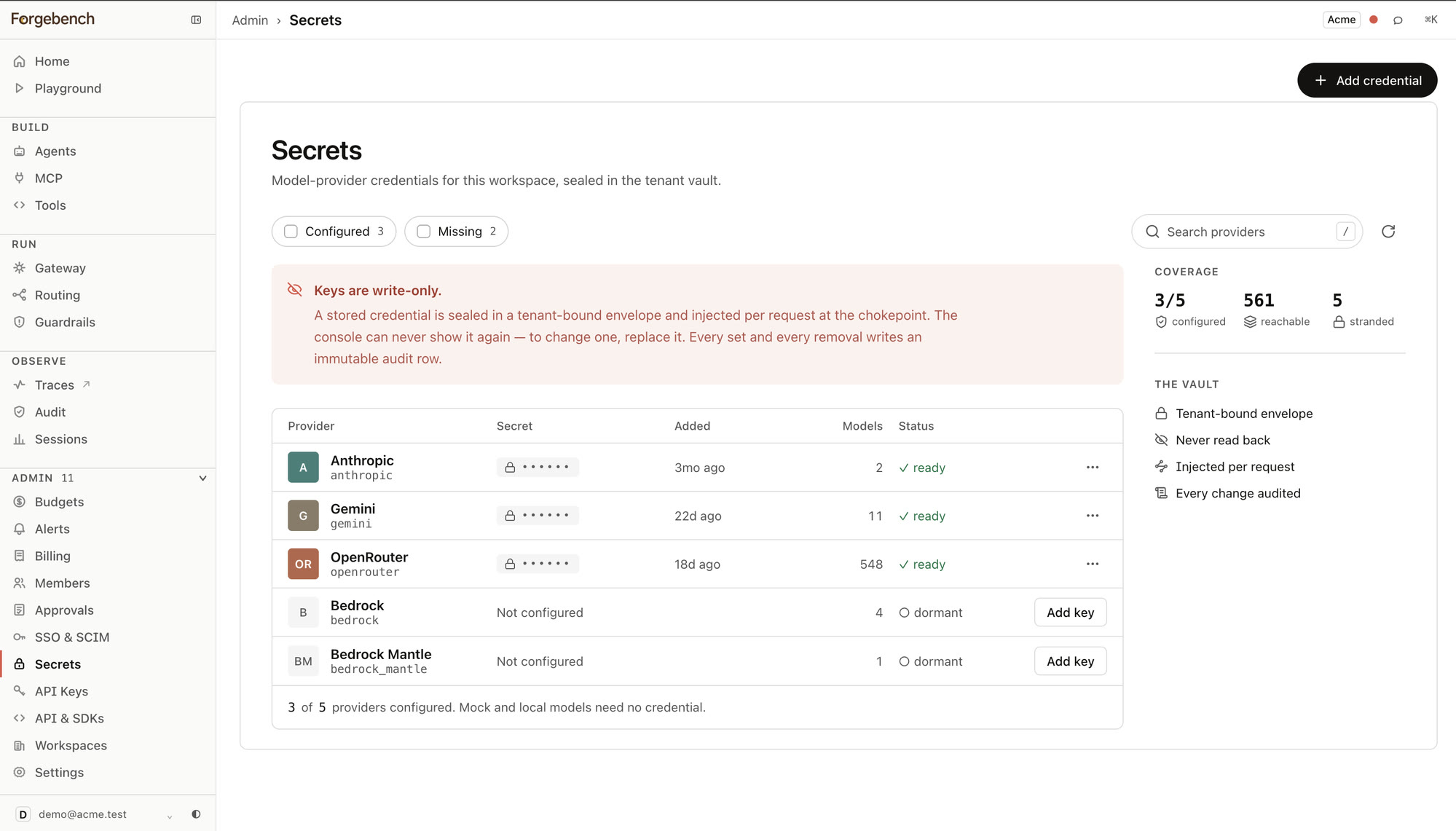
The Coverage panel shows how many catalog providers are configured, how many models are reachable, and how many are stranded: in the catalog but unreachable because their provider has no credential.
Add a credential
Open Secrets
In the sidebar, expand Admin and choose Secrets.
Choose a provider
The list shows only providers in the gateway's model catalog.
Paste the key and store it
The value is never shown again. You can replace it, not recover it.
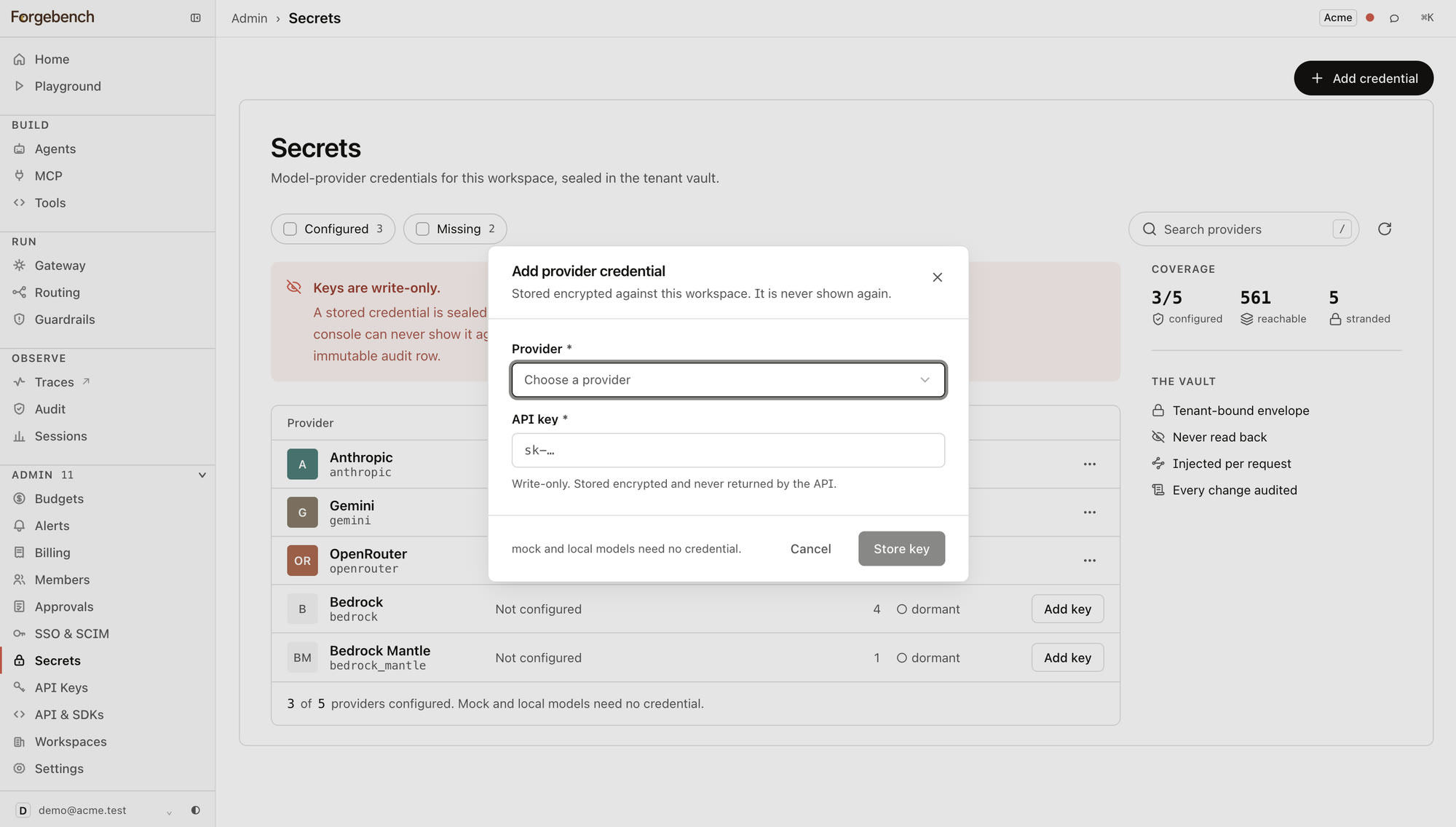
Adding or replacing a provider credential requires the admin role.
Remove a credential
Type the provider's name to enable the remove button. Removal is permanent: calls to that provider fail until you store a new key. Removal is audited.