Apps & agents
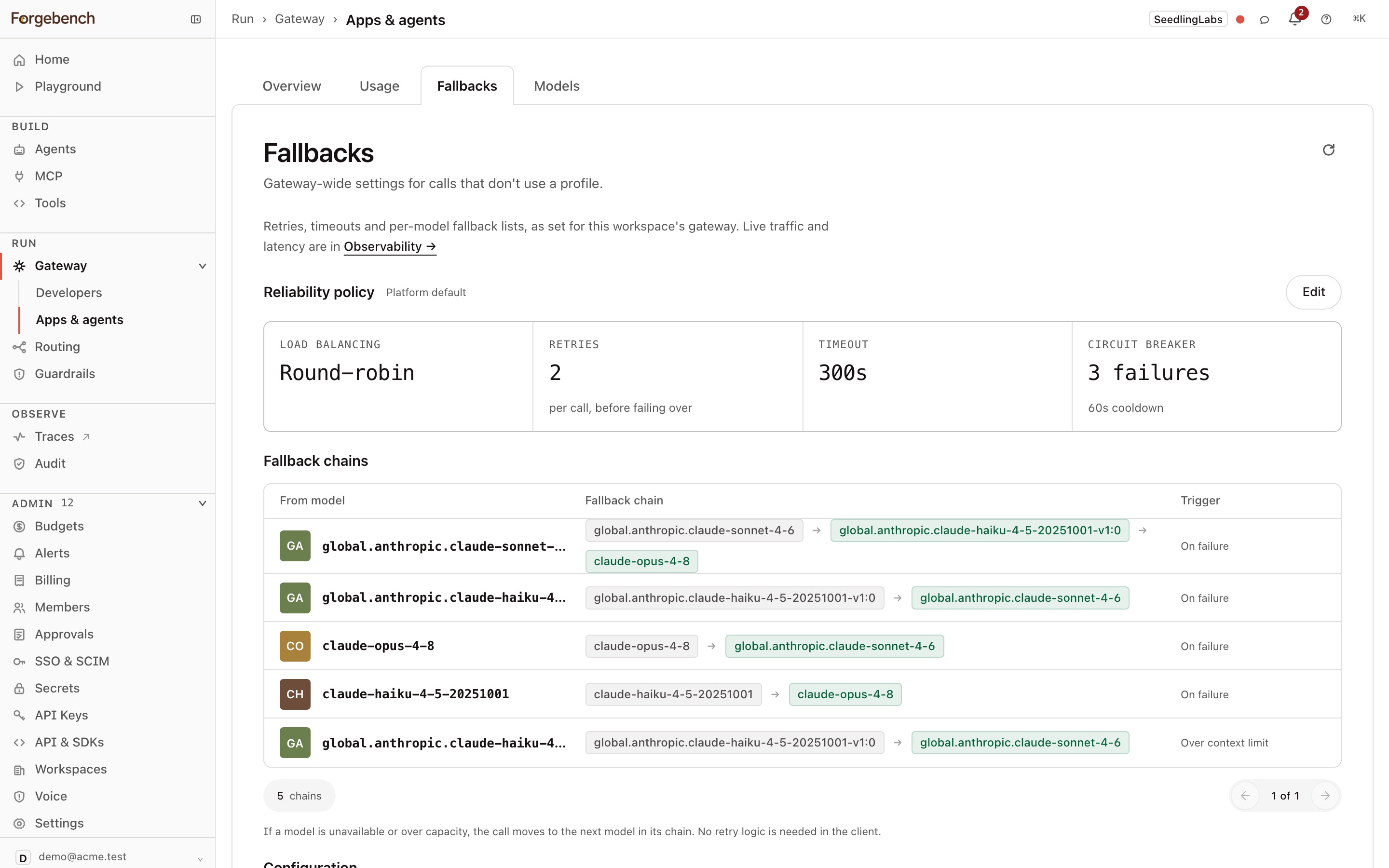
Gateway → Apps & agents shows the gateway from your applications' side: what they called, what it cost, and the retries and fallbacks that protect them. Developer coding tools have their own view under Developers.
| Tab | What it shows |
|---|---|
| Overview | A one-sentence summary of the window, then requests, spend, tokens, cost per request and models used; usage over time by model; your top apps and agents; and each provider's quota and status. Pick 1D, 7D, 30D or 90D. Provider keys lists the keys this workspace uses. |
| Usage | Who made the calls, with their calls, tokens, spend and when each was last seen. |
| Fallbacks | The reliability policy and fallback chains for calls that don't use a profile. |
| Models | Every model you can call, its price, and whether a fallback protects it. |
Admins see all four tabs. Other members with access to the model catalog see Fallbacks and Models only.
Fallbacks
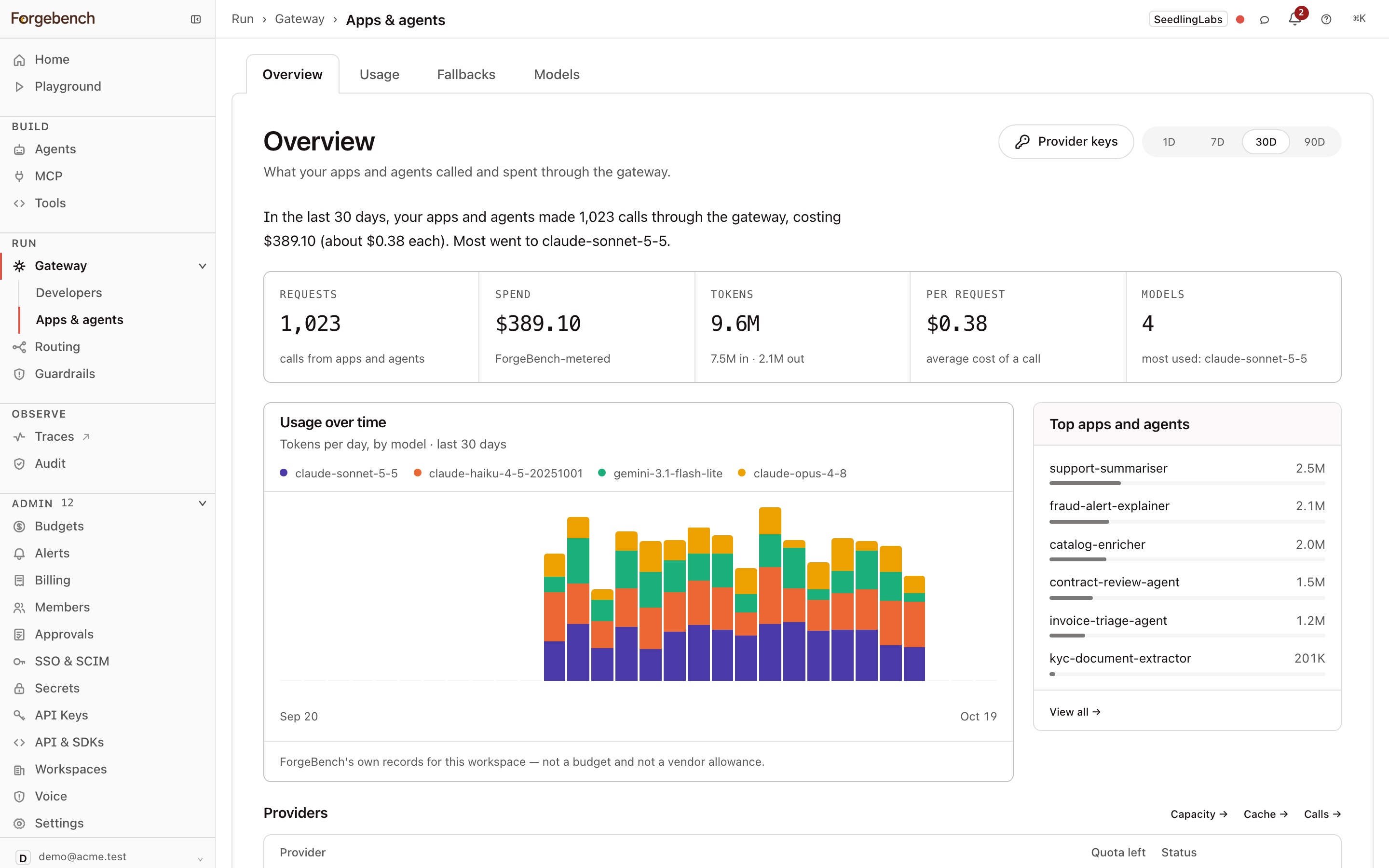
Reliability policy shows the settings for calls that don't use a profile, and whether they are the Platform default or Customized for this workspace:
- Load balancing: how calls spread across a model's deployments, for example round-robin.
- Retries: per call, before failing over.
- Timeout.
- Circuit breaker: failures before a model is paused, and the cooldown.
Fallback chains lists, for each model, the models a call moves to and when: On failure, or Over context limit. If a model is unavailable or over capacity, the call moves to the next model in its chain, so clients need no retry logic of their own.
Admins choose Edit to change the policy and chains. Other members choose Request a change, and a workspace admin approves it.
If failover is on for every call, profiles route calls first and these settings apply only to what a profile doesn't route. If it's off, they apply to every call, developer tools included.