

Pool requests
Leads and members can't change a pool's limit or membership themselves. They file a request, an approver decides it on Approvals, and an approved change applies immediately.
| Request | Filed by | Decided by | Effect |
|---|---|---|---|
Request a higher limitbudget_pool.limit_increase | The pool's lead, or an admin | The admin named on Routing | Raises the pool's monthly limit. The new limit must be higher than the current one and not above the workspace budget. |
Request a member or keybudget_pool.member_move | The pool's lead, or an admin | The admin named on Routing | Adds a person or a key to the pool. A person brings their one free key, or is issued one when the request is approved (never when it is filed). A key already in another pool is moved out of it. It arrives with no share until the lead gives it one. |
Ask for a bigger sharebudget_pool.share_increase | The owner of a key in a pool with manual shares | The pool's lead (an admin if the pool has no lead) | Raises that key's share, inside the pool's limit. The request names the key, and it must be one the requester owns. |
A lead can't approve more money for their own pool, so limit increases go to an admin. A share increase only moves budget inside the pool, so the lead approves it.
A request is in the pool's unit. For a dollar pool, requested_value is {"monthly_limit_usd": "1500"} or {"api_key_id": "…", "allocation_usd": "40"}. For a token pool it is {"monthly_limit_tokens": 2000000} or {"api_key_id": "…", "allocation_tokens": 300000}, in whole tokens. A request in the other unit's field is refused with 422 missing_field, which names the field to use.
File a request from the pool
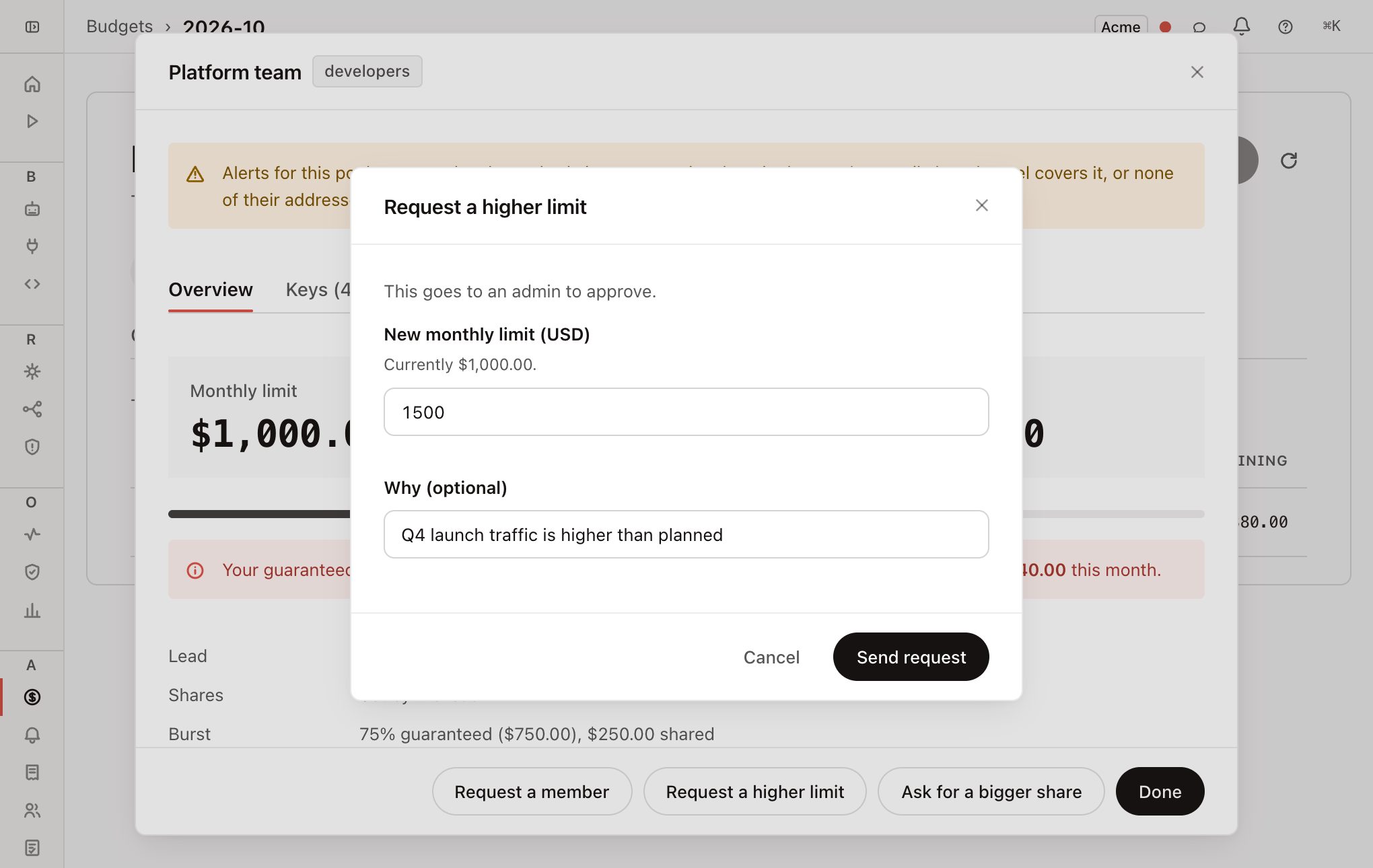
Open your pool
On Budgets, click the pool you lead or own a key in.
Click the request button
Leads see Request a member and Request a higher limit. Owners of a key in a pool with manual shares see Ask for a bigger share, and pick which of their keys needs more if they have several.
Fill in the form
The form shows the current value and who will decide. Add a reason if the approver needs context.
Click Send request
The approver is emailed. You are emailed when it is decided.
You can also file the same three requests from Approvals → New request. Pick the request type, then the pool.
Rules the request is checked against
- Higher limit. Refused with
not_an_increaseif the number is not above the current limit, and withpool_limit_exceeds_workspace_budgetif it is above the workspace budget. The workspace budget is checked again when the request is approved. - Bigger share. The pool needs room. If the guaranteed part of the pool has no undivided budget left, it is refused with
insufficient_unallocated_headroom. Free some room first, or turn on burst. - Any request. If the pool changed since filing so the request no longer applies (for example, the limit was already raised past it), approval fails with
request_is_stale. File it again.
Who can approve
Each request type's approver chain is set on the Approvals Routing tab (admin only). Limit increases and member requests go to the admin named there. Share increases use the stage The pool's lead, which resolves to the lead when filed, or to an admin if the pool has no lead.
Every filed, approved or rejected request is written to the audit log. An approved one records the pool's name, the key and its owner, whether a key was issued, and the before and after values.